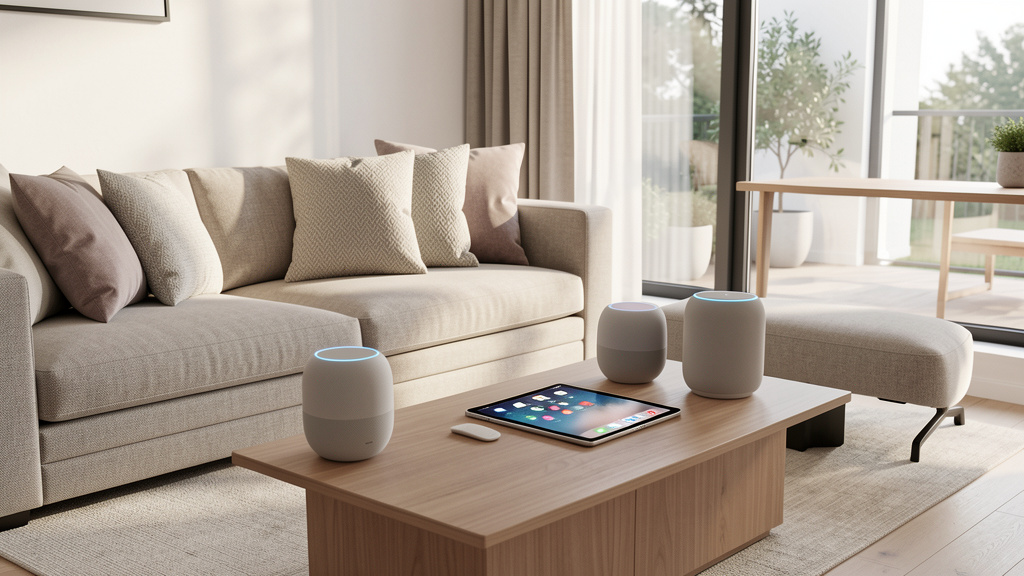
Go beyond simple commands. Build a secure, private, and seamlessly integrated voice-controlled home that adapts to your life—not the other way around.
Voice assistant integration promises hands-free convenience, but without thoughtful planning, many households encounter privacy concerns, device incompatibilities, or systems that feel more demanding than helpful. This guide provides a practical, human-centered framework for selecting, securing, and scaling your voice-controlled ecosystem—transforming disconnected gadgets into a cohesive, intuitive environment that supports your daily rhythms. Whether you’re setting up your first smart bulb or refining a multi-assistant household, this approach meets you where you are, prioritizing real-world usability over technical complexity.
Introduction
Picture this: You step into your kitchen arms full of groceries. Instead of juggling bags to flip a switch, a calm voice responds to your request, illuminating the space exactly as needed. Later, as evening light fades, your system gently adjusts ambient lighting without a single command. At bedtime, a brief phrase prepares your home for rest—dimming lights, confirming tomorrow’s forecast, and securing entry points. This seamless experience isn’t reserved for tech experts or deep-pocketed early adopters. It emerges from intentional design: understanding your household’s unique patterns, respecting privacy boundaries, and choosing tools that serve your life. Many well-intentioned setups falter not from technical failure, but from overlooking foundational questions: Whose needs does this serve? When might voice control create friction instead of ease? What happens when the internet stutters or a guest visits? This guide synthesizes cross-platform principles, security considerations, and behavioral insights into a flexible roadmap. It draws upon widely observed patterns in smart home adoption—where systems grounded in personal context and incremental refinement consistently foster longer-term satisfaction. You’ll find no exaggerated promises here, only actionable steps to cultivate a voice-controlled environment that feels less like technology and more like thoughtful design.
The Harmony Framework: Building Voice Control That Feels Invisible
True integration occurs when technology recedes into the background of daily life. You don’t operate the system; you move through your home with quiet confidence. The Harmony Framework cultivates this through four interdependent pillars. Each reinforces the others—skipping one may create gaps in reliability, trust, or usability. This approach reflects evolving industry directions like the Matter protocol while centering human experience over technical novelty. Think of it as cultivating a garden: preparation, boundaries, connection, and attentive care all matter.
Pillar 1: Foundation – Assessment & Strategic Planning
Before unboxing a single device, dedicate focused time to observation and reflection. This phase prevents common pitfalls like purchasing incompatible gear, overlooking privacy needs, or automating tasks that don’t genuinely simplify your life. Rushing this step often leads to frustration down the road.
Step 1: Map Your Daily Friction Points
Grab a notebook or digital note. For two to three days, quietly observe moments where you think: “I wish this were smoother.” Capture specifics without judgment:
– “Every weekday around 7:00 PM, I walk through the house switching off lights before bed.”
– “When returning home with arms full, I struggle to unlock the door and manage bags.”
– “Thermostat adjustments happen repeatedly because household preferences shift throughout the day.”
Why this step is crucial: Voice control solves human problems. Targeting authentic friction ensures your efforts yield meaningful relief. Installing voice-controlled lights in a seldom-used closet rarely delivers value; automating the hallway lights you use nightly creates consistent, quiet benefit. This practice also reveals who in your household might benefit—and who might feel excluded.
Common mistake to avoid: Starting with “cool features” instead of personal needs. A voice-controlled coffee maker sounds appealing—until you realize you prefer the ritual of manual brewing. Anchor every potential addition to a documented moment of friction.
Step 2: Audit Your Existing Ecosystem
Create a simple inventory. No technical expertise required—just observation:
| Room | Current Devices | Power Source | Network Type (if known) | Notes |
|---|---|---|---|---|
| Living Room | Smart TV, table lamp | Plug | Wi-Fi | TV has built-in assistant |
| Kitchen | None | N/A | N/A | Weak Wi-Fi signal near sink |
| Front Door | Traditional deadbolt | Manual | N/A | Candidate for smart lock upgrade |
Why this step is crucial: Compatibility extends beyond brand names. A voice assistant relying solely on Wi-Fi cannot directly communicate with Zigbee sensors without a bridge. Noting physical constraints (like Wi-Fi dead zones) prevents future headaches. This audit also highlights where non-voice solutions might serve better—like motion-activated pantry lighting.
Real-life example: During her audit, Lena noticed her existing smart bulbs used a mesh protocol, while her preferred assistant required Wi-Fi connectivity. Instead of buying new bulbs, she added a compatible bridge device early in her setup. This small adjustment prevented returns, saved time, and created a more stable foundation.
Step 3: Define Your Control Philosophy
Reflect honestly on these guiding questions:
– Privacy comfort level: Are you comfortable with cloud-based command processing, or do you prioritize local execution where possible? (Note: Some ecosystems process certain commands directly on-device.)
– Household dynamics: Will multiple people use voice control? Do children, guests, or caregivers need tailored access levels?
– Reliability priorities: If internet connectivity is temporarily lost, which functions feel essential to retain? (e.g., interior lighting pathways, door status awareness)
– Interaction preference: Do you favor natural phrasing (“Make it warmer”) or precise commands (“Set temperature to 70°F”)?
Why this step is crucial: These reflections directly shape hardware and configuration choices. Requiring robust offline functionality may point toward hubs with local automation capabilities. Needing distinct user profiles influences assistant selection. Defining these boundaries early reduces trial-and-error later.
Counter-example: A household installed budget-friendly smart plugs reliant solely on cloud connectivity. During a brief neighborhood outage, interior lights couldn’t be activated via voice. While not a safety crisis, it highlighted how unexamined assumptions about reliability can undermine trust in the system. Defining “must-work” scenarios beforehand guides more resilient choices.
The Fundamental Principle: Design your system to honor human rhythms and boundaries—not to force adaptation to technological constraints.
Pillar 2: Security & Privacy Fortress – Building Trust by Design
Voice assistants inherently involve audio sensing. Acknowledging this reality—not dismissing concerns—is the first step toward building genuine trust. Security and privacy aren’t afterthoughts; they’re woven into setup choices, ongoing habits, and transparent expectations. This pillar focuses on practical, proportional steps anyone can take.
Understanding the Data Flow: Demystifying the Process
When you speak a command like “Turn off the bedroom light,” a typical sequence unfolds:
1. Wake word detection: The device listens locally for its trigger phrase (e.g., “Hey Google”). Only upon detection does it begin processing audio.
2. Audio handling: A brief buffer before the wake word may be captured to ensure context. Your full command follows.
3. Transmission: Audio travels encrypted to the service’s servers (unless processed locally).
4. Interpretation: Speech is converted to text, intent is determined (“turn off light”), and the target device is identified.
5. Execution: The command reaches your smart bulb, which responds.
6. Retention: Audio clips or transcripts may be stored temporarily to improve service—unless you adjust settings.
Why transparency matters: Understanding this flow replaces anxiety with agency. You gain clear points of control—especially around retention and access. Importantly, implementations vary across platforms and evolve over time. Always verify current practices within your device’s privacy settings.
Action Plan: Strengthening Your Privacy Settings (Platform Guidance)
Complete these steps during initial setup—before linking devices.
Amazon Alexa:
– Manage voice history: In the Alexa app: Settings > Alexa Privacy > Manage Your Alexa Data. Enable automatic deletion of recordings (e.g., after 3 months). Review history periodically to delete unintended captures.
– Restrict purchasing: Settings > Account Settings > Voice Purchasing. Disable or require a confirmation code.
– Physical mute: Use the microphone-off button during sensitive conversations. A visible indicator (like a red light) confirms audio processing is paused.
Google Assistant:
– Control activity data: Visit myactivity.google.com. Under “Web & App Activity,” adjust auto-delete settings and review what data is saved. Disable “Include Chrome history” if preferred.
– Voice Match settings: In the Google Home app: Settings > Assistant > Voice Match. Adjust sensitivity and decide if recognition should work when your phone is locked.
– Temporary privacy: Say “Hey Google, start incognito mode” before sensitive queries. End with “Stop incognito mode.”
Apple Siri/HomePod:
– Limit data sharing: On iPhone: Settings > Privacy & Security > Analytics & Improvements. Turn off “Improve Siri & Dictation” to keep processing more localized.
– Leverage on-device processing: Within the Home app, ensure trusted devices handle automations locally where possible—a noted strength of the HomeKit ecosystem for certain actions.
– Guest access: Create limited user profiles in the Home app, granting access only to shared spaces (e.g., living room lights), not private areas.
Universal Best Practices:
– Network segmentation: If your router supports it, create a separate network for smart devices (e.g., “Home_IoT”). This isolates them from computers and phones handling sensitive data.
– Firmware maintenance: Enable automatic updates where available. Periodically check device status in your assistant app to ensure everything is current.
– Thoughtful placement: Position microphones away from windows or private spaces like bedrooms. For doorbell cameras with voice features, consider disabling two-way audio when home to prevent unsolicited communication.
Illustrative scenario: While reviewing her voice history, Maya noticed an accidental recording triggered during a quiet conversation. Because she had enabled auto-delete, the clip was already scheduled for removal. More importantly, the experience prompted her to relocate the device from her bedside table to a hallway shelf—reducing accidental triggers near personal moments. Regular, gentle review transforms privacy from an abstract worry into manageable stewardship.
When Voice Control Isn’t the Answer: Thoughtful Alternatives
Voice isn’t universally ideal. Sometimes, other methods offer better privacy, accessibility, or simplicity:
– Motion-activated lighting: In hallways, pantries, or garages, a motion sensor paired with a smart bulb provides light exactly when needed—no voice command, no data captured. Ideal for hands-free moments or supporting mobility needs.
– Physical smart switches: Replacing a standard switch with a smart version (like Lutron Caséta or TP-Link Kasa) retains the familiar toggle while adding app or voice control. Crucial for family members who prefer tactile interaction or have speech differences.
– Geofencing automations: Instead of saying “I’m home,” let your phone’s location trigger thermostat adjustments as you approach. Location permissions remain managed on your device, and no voice command is required.
Pillar 3: Seamless Integration & Interoperability – Speaking the Same Language
The vision: “Goodnight” gently dims lights, adjusts climate, and secures doors. The frustration: “I can’t control that device.” Fragmentation remains a top reason people disengage from smart homes. Interoperability—the ability of devices to work together—isn’t a luxury; it’s foundational to a cohesive experience.
Understanding Communication Protocols: Wi-Fi, Zigbee, Z-Wave, Matter, Bluetooth
You don’t need to become an engineer, but recognizing basic protocol types prevents costly mismatches.
| Protocol | Typical Range | Power Needs | Common Uses | Voice Assistant Notes |
|---|---|---|---|---|
| Wi-Fi | Whole home (with mesh) | Plug/hardwired | Speakers, cameras, plugs | Directly compatible with most assistants; can congest home network |
| Zigbee | 30-60 ft (mesh) | Battery/plug | Bulbs, sensors, some locks | Requires a compatible hub/bridge (e.g., Philips Hue Bridge, Echo with Zigbee) |
| Z-Wave | 100+ ft (mesh) | Battery/plug | Locks, sensors, switches | Requires a dedicated Z-Wave hub (e.g., SmartThings, Hubitat) |
| Matter | Whole home (via Thread) | Varies | New bulbs, plugs, locks, thermostats | Designed for cross-ecosystem compatibility (Alexa, Google, Apple); look for the Matter logo |
| Bluetooth | ~30 ft | Battery | Wearables, portables | Limited smart home use; often phone-dependent |
Why this matters: Purchasing a Z-Wave lock without a Z-Wave hub means it cannot join your voice-controlled system. Checking protocol requirements before buying saves money, time, and frustration. When possible, prioritize devices bearing the Matter logo for new purchases—they’re built for broader compatibility today and tomorrow.
The Hub Decision: Do You Need One?
Ask yourself:
– ✅ Do you own or plan to add Zigbee or Z-Wave devices? → A hub is necessary.
– ✅ Is reliable offline functionality important (e.g., lights working during brief internet lapses)? → Seek a hub with local processing capabilities.
– ✅ Are you connecting many devices (15+)? → A dedicated hub can improve network stability.
– ❌ Are you only using Wi-Fi or Matter-over-Thread devices with a compatible assistant? → A separate hub may not be needed.
Hub Considerations:
– Assistant-built-in hubs: Some Echo devices include Zigbee radios; HomePod mini supports Thread for Matter. Simplest for single-ecosystem homes.
– Dedicated hubs (SmartThings, Hubitat, Home Assistant): Offer broader protocol support, stronger local automation, and greater customization. Ideal for mixed-brand homes or privacy-focused users. May involve a steeper initial learning curve.
– Ecosystem hubs (Apple TV, HomePod): Essential for remote HomeKit access and automations in Apple-centric homes.
Integration illustration: Alex wanted voice control for a Z-Wave door lock, Zigbee lights, and a Wi-Fi thermostat. Instead of buying devices first, he selected a hub supporting all three protocols. He added each device to the hub, then linked the hub account within his preferred voice assistant app. The result: unified control with minimal troubleshooting. Starting with the hub as the central nervous system prevented compatibility dead ends.
Bridging “Island Devices”: When a Device Feels Isolated
You love a device, but it doesn’t natively connect to your voice assistant. Don’t discard it—explore bridges.
Option A: IFTTT (Free/Paid Tiers)
– Best for: Simple, one-way triggers (e.g., “If weather service predicts rain, turn on bathroom fan”).
– How: Create applets connecting your voice assistant service to the device’s service. Note: Free tier has limitations; response times may vary.
– Example: “Alexa, trigger movie time” dims lights via Hue and activates a fan via its proprietary app.
Option B: Home Assistant (Self-Hosted)
– Best for: Users comfortable with technical setup seeking deep customization and local control across many devices.
– How: Install on a small computer (like a Raspberry Pi). Community-created integrations often support obscure or legacy devices. Voice commands can route through add-ons.
– Illustration: A user connected an older thermostat using an inexpensive infrared blaster controlled by Home Assistant, enabling voice temperature adjustments without replacement.
Option C: Smart Plug Workaround (Use Judiciously)
– Best for: Plug-in devices with physical power buttons (e.g., lamps, fans).
– How: Place a smart plug between the device and outlet. Control the plug via voice. Critical safety note: Never use for high-wattage appliances (space heaters), medical equipment, refrigerators, or anything where unexpected power cycling poses risk. Verify wattage ratings first.
Pillar 4: Advanced Automation & Refinement – From Commands to Context
Basic control says: “Turn on lights.” Contextual automation understands: “It’s evening, you’ve just entered the living room after sunset, and you typically read here.” The system gently brightens the reading lamp—no command needed. This shift from reactive to anticipatory creates profound ease. The key is layered, thoughtful triggers—not complexity for its own sake.
Building Smarter Routines: Layering Triggers for Reliability
Effective routines combine conditions to avoid false triggers. Single-trigger automations often fail.
Example: “Arriving Home” Evening Routine
– Trigger 1: Phone geofence detects arrival within a defined radius of home.
– Trigger 2: Current time falls between 4:00 PM and 9:00 PM (avoids midnight triggers).
– Trigger 3: Front door contact sensor registers opening (confirms entry).
– Actions:
– Turn on entryway light to comfortable brightness.
– Adjust thermostat to “Home” setting.
– Optional: Play a brief, gentle chime or announcement (“Welcome home. Evening temperature is 72°.”).
– If motion is detected in the kitchen within 90 seconds: Activate under-cabinet lighting.
Why layered triggers matter: Geofencing alone might activate when passing by. Adding door sensor confirmation ensures actions occur only upon actual entry. Time constraints prevent unwanted activations. This precision builds user confidence—you trust the system won’t act unexpectedly.
Creating your first layered routine:
1. Open your voice assistant app (Google Home, Alexa, etc.).
2. Navigate to Routines (Alexa) or Automations (Google).
3. Create a new routine. Add your first trigger (e.g., “Device” > “Contact Sensor” > “Front Door” > “Opens”).
4. Add a second trigger (e.g., “Time” > “Between” > set evening hours).
5. Add actions: “Light” > “Entryway” > “Turn on” > set brightness. Add “Voice” > “Say” for a welcome message if desired.
6. Pro tip: In Alexa, use “Wait” actions between steps (e.g., wait 3 seconds after door opens before speaking) to avoid overlapping sounds.
7. Name clearly (“Evening Arrival”), save, and test thoroughly. Start with one routine. Master it before adding more.
Common pitfall: Over-automation. Beginning with five complex routines often leads to confusion. Adopt a “one routine per week” pace. Delete any automation unused after two weeks. Simplicity sustains engagement.
Personalization: Making the System Feel Like Yours
Generic interactions feel robotic. Thoughtful personalization fosters connection and usability.
- Pronunciation corrections: If your assistant mispronounces a name (yours, a family member’s, a street), use the app’s contact editing tools to record the correct pronunciation. Vital for accurate hands-free calling.
- Multi-user recognition (where supported): Train voice profiles for household members. This enables personalized responses: “Hey Google, what’s on my calendar?” shows only the speaker’s appointments, reducing household friction.
- Context-aware reminders: Instead of “Remind me to take out trash,” say “Remind me when I arrive home to take out the trash.” The system ties the reminder to your location.
- Seasonal adjustments: As daylight shifts, update routines. A “Good Morning” routine triggering lights at 7:00 AM in summer may need adjustment to 6:30 AM in winter. Schedule a brief seasonal review.
Real impact: After setting up distinct voice profiles, a family noticed the morning routine on their kitchen display showed only relevant appointments for whoever was present. This small refinement reduced morning confusion and demonstrated how personalization serves practical harmony.
Troubleshooting with Patience: Solving Common Hiccups
All systems experience occasional glitches. A calm, methodical approach resolves most issues.
| Symptom | Likely Cause | First Diagnostic Step | Gentle Solution |
|---|---|---|---|
| “I don’t know how to do that” | Device not linked or skill disabled | Open assistant app > Devices > Confirm device appears and is enabled | Re-link the device/service; check manufacturer app for updates |
| Command works in app but not by voice | Microphone sensitivity or background noise | Test wake word in a quiet room. Does the device light up? | Clean microphone ports gently; retrain wake word; adjust sensitivity in settings |
| Intermittent responses | Wi-Fi signal strength or congestion | Check device signal strength in app (aim for strong signal) | Relocate device/router; add a mesh node; ensure device uses 2.4GHz band if supported |
| Routine triggers unexpectedly | Geofence radius too large or time setting off | Verify phone location services are active; check routine time constraints | Narrow geofence radius; add additional triggers (like door sensor) for confirmation |
| “Device is unresponsive” after update | Temporary firmware conflict | Check manufacturer’s support page or community forums | Reboot device and hub; if persistent, contact support—patches often follow quickly |
The Isolation Method for Persistent Issues:
When multiple devices act up:
1. Power down all smart devices except one trusted bulb and your voice assistant.
2. Test a simple command (“Turn on [bulb]”).
3. If successful, power devices back on one-by-one, testing after each addition. The device added just before failure returns is the likely culprit.
4. If the single bulb fails, reboot your router and assistant device. If needed, perform a factory reset on the assistant as a last resort.
This systematic approach identifies whether the issue stems from the network, the assistant, or a specific device—saving time and frustration.
Navigating Real-World Friction: Wisdom in Knowing When Not to Use Voice
Voice control excels in specific contexts—but forcing it everywhere creates resistance. True smart home mastery includes recognizing its limits and designing inclusive alternatives.
Understanding “Voice Fatigue”
Initial enthusiasm sometimes fades. Why? Remembering precise phrasing (“Alexa, set the living room light to warm white at 70%”) can feel more demanding than flipping a switch. This isn’t user error—it’s a design signal.
Gentle solutions:
– Simplify command language: Create routines with intuitive names. “Movie time” handles dimming lights and closing shades. “Goodnight” secures the home.
– Embrace hybrid control: Install smart switches that retain physical toggles (like Lutron Caséta). Voice for ambiance; touch for speed and certainty.
– Set thoughtful defaults: Configure lights to activate at a comfortable, consistent brightness in the evening. Remove the cognitive load of specifying levels repeatedly.
Designing for Inclusivity: Voice Isn’t Universal
Voice control may exclude or challenge some household members:
– Individuals with speech differences, accents, or conditions affecting vocal clarity
– People in consistently noisy environments (workshops, open-plan homes)
– Those with privacy concerns about always-listening devices
– Non-native speakers navigating command phrasing
Inclusive pathways forward:
– Gesture or motion control: Wave under a sensor to toggle lights; use motion to activate pathway lighting.
– App-based interfaces: Mount a tablet with large, color-coded buttons near entrances (“Away,” “Goodnight,” “Emergency”).
– Physical programmable buttons: Place Flic or similar Bluetooth buttons bedside or in key locations for one-touch actions.
– Passive automations: Trigger hallway lights at sunset for safety—no command required. Critical for aging-in-place or supporting mobility needs.
True smart home design serves everyone in the household. Schedule a quarterly check-in: “Is anyone avoiding using this system? What would make it feel more welcoming?” Listen without defensiveness.
Value Over Novelty: Navigating Cost Thoughtfully
That inexpensive smart plug seems harmless—until multiplied across ten devices, plus hub costs, plus potential subscription considerations. Evaluate true value.
Pre-purchase reflection questions:
1. Does this directly address a friction point documented in Pillar 1?
2. Will this be used consistently (daily or near-daily)?
3. Does it integrate smoothly with my current setup without requiring new infrastructure?
4. What is the “failure mode”? (If power or internet is lost, does it become unusable or create inconvenience?)
Foundational starting points (prioritized):
1. Smart bulbs or switches in high-traffic areas (entryway, living room): Immediate, visible benefit; often work during brief outages if hub has battery backup.
2. A single smart plug for a frequently used lamp: Low-risk introduction to voice/app control.
3. Voice assistant device with protocol support matching your plans (e.g., Echo with Zigbee hub if choosing Zigbee bulbs).
4. Contact sensor on a main entry door: Enables simple, valuable automations (light on when door opens at night).
5. Then consider locks, cameras, or thermostats based on documented needs.
Investing modestly in solutions for genuine daily friction yields more lasting satisfaction than splurging on niche gadgets used sporadically. Keep traditional switches and lamps accessible—technology should enhance, not replace, reliable basics.
Your Questions, Answered
Q: Can voice assistants hear me when the microphone is muted? How can I be sure?
A: When the physical mute button is engaged (indicated by a light like red on Echo or orange on Google), the microphones are electronically disconnected—no audio is processed or transmitted. This design is documented in manufacturer specifications and independent technical reviews. For absolute peace of mind during sensitive discussions, unplugging the device is always an option. During normal use, devices only begin processing audio after detecting the wake word; any pre-wake buffer is typically handled locally and discarded if no wake word is confirmed.
Q: Which voice assistant ecosystem offers stronger privacy defaults for families?
A: Apple’s HomeKit/Siri ecosystem emphasizes on-device processing for many HomeKit automations and offers granular parental controls within Screen Time settings. Google Assistant provides detailed voice profile management per user. Alexa requires manual configuration of purchasing restrictions and skill permissions. Regardless of platform, the most impactful steps are universal: enable automatic deletion of voice history (e.g., after 3 months), review recordings periodically with older children to build digital literacy, and use physical mute buttons when appropriate. Privacy is sustained through habits, not just platform choice.
Q: Will my voice-controlled lights work during a power outage?
A: Standard smart bulbs and switches require electrical power and will not function during an outage. Battery-powered devices (like some sensors or locks) may operate briefly. Voice assistants lose power unless connected to a UPS (uninterruptible power supply). For safety and peace of mind: keep traditional lamps with physical switches in key pathways (hallway, bedroom), and consider battery-operated LED stick-on lights with motion sensors for critical areas. These require no voice command, no wiring, and provide reliable illumination when needed most.
Q: How can I improve command recognition in a noisy household?
A: Three practical approaches:
1. Strategic placement: Position the assistant away from TVs, kitchen appliances, or high-traffic zones. Elevating it on a shelf often improves microphone clarity.
2. Adjust sensitivity settings: Within the assistant app, increase wake word sensitivity. Enable Voice Match features where available to better distinguish your voice.
3. Use precise, consistent phrasing: Instead of “Turn on the light,” specify “Turn on the kitchen ceiling light.” Clarity reduces ambiguity. For persistent challenges, consider a secondary, smaller assistant device placed closer to the noisy area (e.g., under a kitchen cabinet).
Q: Can I use multiple voice assistants (Alexa and Google) in one home without confusion?
A: Yes—with intentional zoning. Assign primary assistants by location and strength:
– Kitchen: Google Nest Hub for recipe guidance and calendar visibility
– Living Room: Amazon Echo for music library depth and smart home control
– Bedroom: Apple HomePod mini for seamless alarm integration and privacy focus
Use a central hub (like SmartThings) to synchronize core devices (locks, thermostats) so both assistants can control them. Crucially: mute microphones on assistants not designated for that room to prevent overlapping responses (“assistant wars”). Clear zones create harmony.
Q: Are human reviewers ever exposed to my voice recordings? Can I limit this?
A: To improve speech recognition accuracy, anonymized clips may be reviewed by human contractors—a practice disclosed in privacy policies. You can significantly limit exposure:
– Amazon: Alexa app > Settings > Alexa Privacy > Manage Your Alexa Data > Turn off “Help develop new features.”
– Google: myactivity.google.com > Web & App Activity > Turn off activity saving or disable audio/video inclusion.
– Apple: Settings > Privacy & Security > Analytics & Improvements > Turn off “Improve Siri & Dictation.”
Enabling automatic deletion of recordings (e.g., after 3 months) remains one of the most effective controls. Reviewing your voice history monthly builds awareness and agency.
Q: How can voice control be adapted safely for someone with cognitive changes (e.g., dementia)?
A: Prioritize simplicity, safety, and caregiver support:
1. Limit command scope: Disable skills for shopping, calling, or web search. Restrict controls to essential functions like lighting or thermostat.
2. Create unambiguous routines: “I’m cold” triggers a safe temperature adjustment; “Help” plays a pre-recorded message with emergency contact info.
3. Incorporate physical safeguards: Use smart plugs with physical override buttons. Install motion-activated pathway lighting to reduce fall risk—no voice needed.
4. Enable caregiver alerts: Set notifications for unusual activity (e.g., exterior door opened late at night). Always collaborate with occupational therapists specializing in aging-in-place for personalized, compassionate solutions.
Q: Does adopting Matter mean replacing all my existing devices?
A: Absolutely not. Matter is designed with backward compatibility in mind. Your current Zigbee bulbs, Z-Wave locks, and Wi-Fi plugs will continue functioning. Matter’s value lies in smoother integration for new purchases: a Matter-certified bulb works across Alexa, Google, and Apple ecosystems out of the box. Some manufacturers offer firmware updates to add Matter support to recent devices—check their websites. Hubs like SmartThings Station can also bridge non-Matter devices into Matter-based routines. Strategy: Keep reliable existing gear. For new additions, prioritize Matter certification to simplify future expansion. Replace only when a device fails or no longer meets your needs.
Q: Can I add voice control to non-smart appliances like a standard fan?
A: Yes, safely and affordably—with important caveats:
– For plug-in appliances: Use a smart plug rated for the appliance’s wattage (clearly listed on the plug and appliance). Plug the fan into the smart plug. Command: “Turn on Fan.” Never use smart plugs for high-wattage heaters (check ratings carefully), medical devices, refrigerators, or anything where unexpected power loss is hazardous.
– For hardwired appliances (ceiling fans): Replace the wall switch with a smart switch compatible with your fan type. This often requires basic electrical knowledge or hiring a qualified electrician. Retains the physical toggle for manual use.
When in doubt about electrical safety, consult a licensed professional. Safety always outweighs convenience.
Q: How often should I review and update my voice assistant routines?
A: Treat your system like a living space—seasonal tidying maintains harmony.
– Monthly: Glance at voice history for accidental triggers; delete unused routines.
– Seasonally (equinoxes/solstices): Adjust lighting routines for changing daylight; update thermostat schedules for weather shifts.
– Annually: Audit all connected devices and app permissions. Remove unused skills or integrations. Consider a factory reset of assistant devices if responsiveness feels sluggish.
Set a recurring calendar reminder: “Smart Home Check-In.” This brief ritual ensures your system evolves with your life, not against it.
Conclusion and Next Step
At its best, voice assistant integration fades into the quiet rhythm of home life. It’s not about performing commands across rooms—it’s the gentle confidence that your environment responds thoughtfully to your presence. You’ve now cultivated a foundation for that experience. The Harmony Framework’s four pillars—grounded planning, privacy-conscious design, intentional interoperability, and contextual refinement—offer a compass for every future decision. Hold onto this core insight: Technology should adapt to human needs, not the reverse. When your system honors your household’s unique patterns, values, and rhythms, voice control transforms from a novelty into a trusted, invisible partner.
Recap: Three Anchoring Principles
- Begin with observation, not gadgets. Document genuine friction points before purchasing anything.
- Privacy is an active practice. Configure auto-delete, consider network segmentation, and use physical mute buttons—starting on day one.
- Compatibility is non-negotiable. Understand protocol needs and prioritize Matter-certified devices for new additions to avoid dead ends.
The 24-Hour Rule
Within the next day, complete one small, concrete action:
🔹 Open your voice assistant app and enable automatic deletion of voice recordings (set to 3 months).
This takes under a minute and immediately reclaims stewardship over your data. It’s not about perfection—it’s about momentum. Tomorrow, you might sketch one friction point from your week. Next week, test a single layered routine. Each intentional step builds confidence and clarity.
The Bigger Picture
Your home is more than connected devices. It’s a sanctuary for rest, connection, and renewal. Thoughtfully integrated voice control can deepen that purpose: returning hands to a parent carrying a child, offering quiet independence to an aging relative, or gifting minutes back to a busy day for what truly matters. As technology evolves, your foundational understanding—centered on human needs first—will keep your system resilient and relevant. You’re not merely installing tools; you’re cultivating daily ease. And that is a practice whose value grows quietly, year after year.
Explore Our Complete Smart Home System:
The Uncluttered Smart Home: Minimalist Automation for Calm Living | Matter Protocol Decoded: A Practical Buyer’s Guide | Privacy-First Home Security: Cameras, Sensors & Peace of Mind | The Adaptive Home: Designing for Aging Parents & Multigenerational Living | Beyond Voice: Gesture, App & Physical Control Strategies | Smart Home Energy Awareness: Simple Steps for Comfort & Efficiency | Troubleshooting with Confidence: Resolve Common Smart Device Hiccups